NNOSTROMOEXPLORE SYSTEMS
LAUNCH PRODUCT
AUTOMATED SYSTEMS // EA / MULTI-SYMBOL DASHBOARD

NOSTROMO
NAVIGATOR

Universal Signal Dashboard for MT5

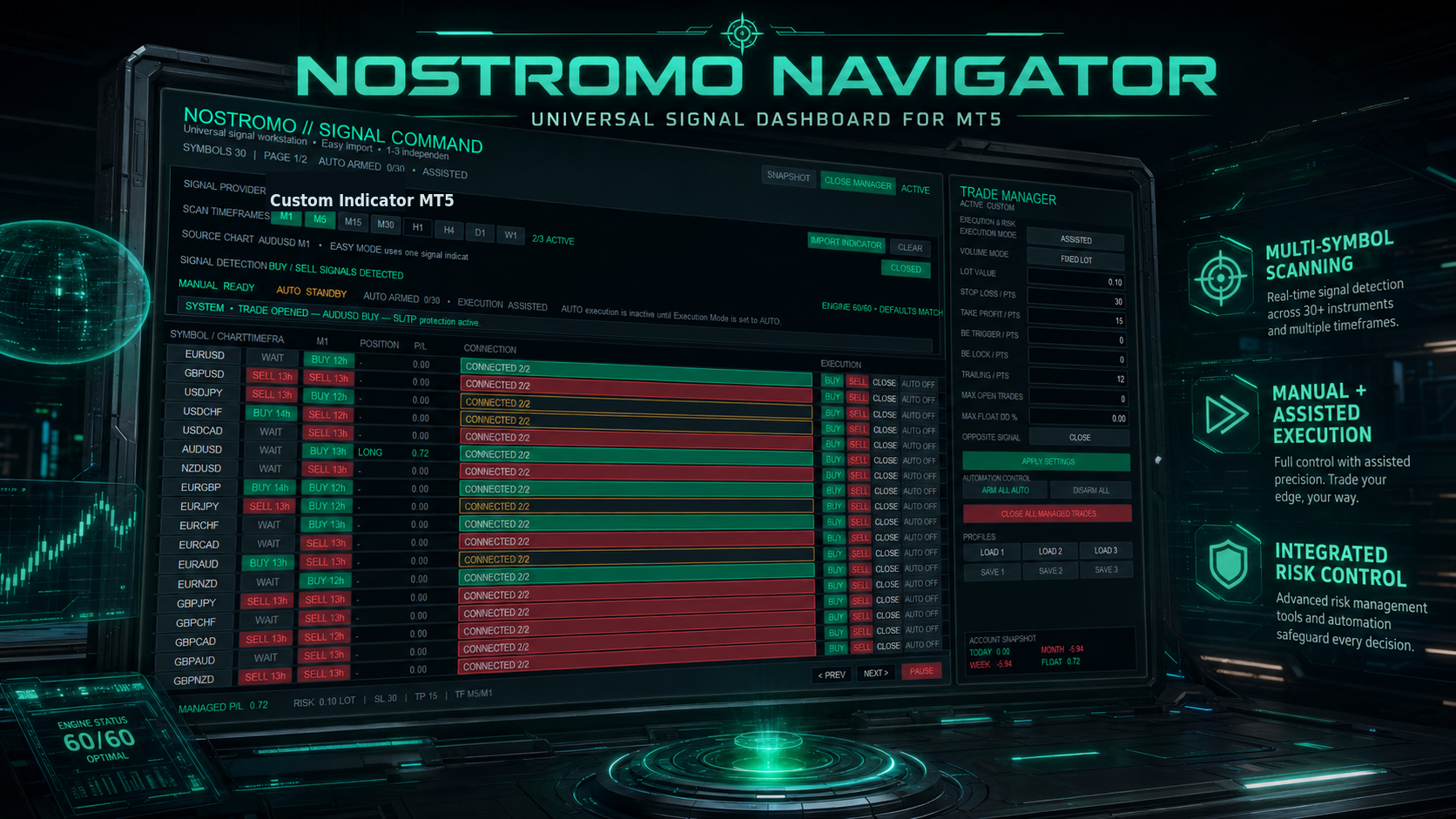
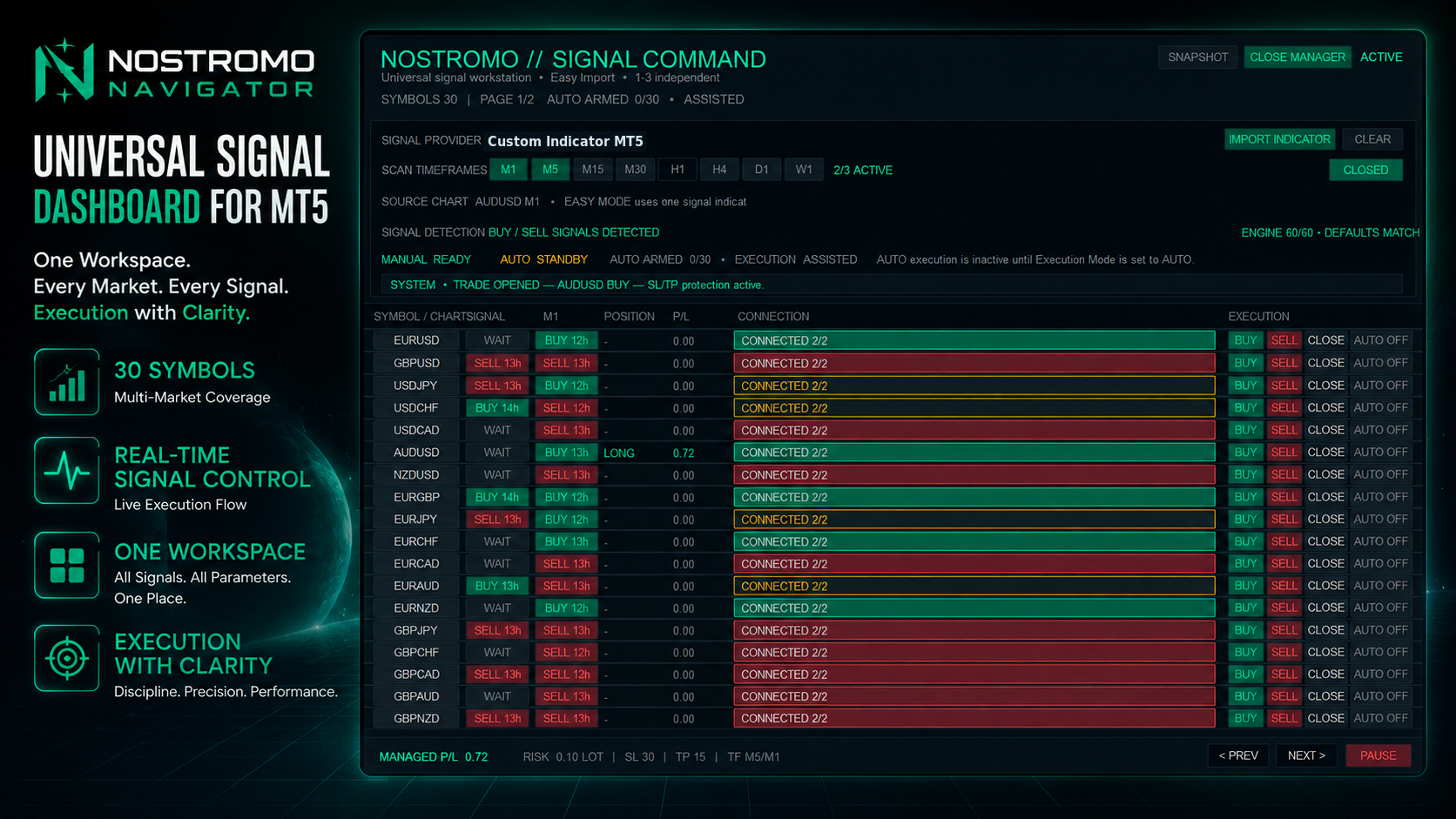
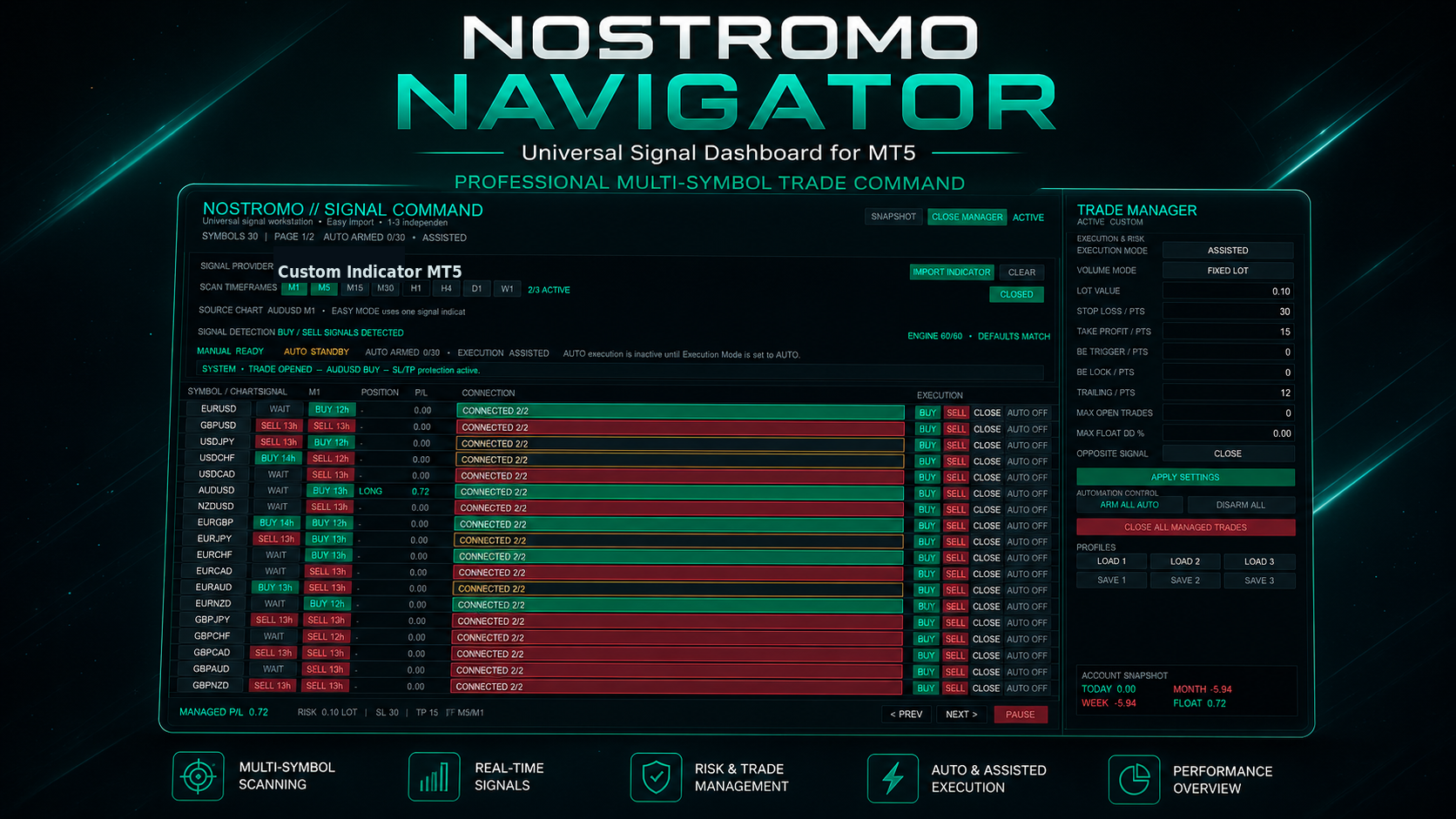
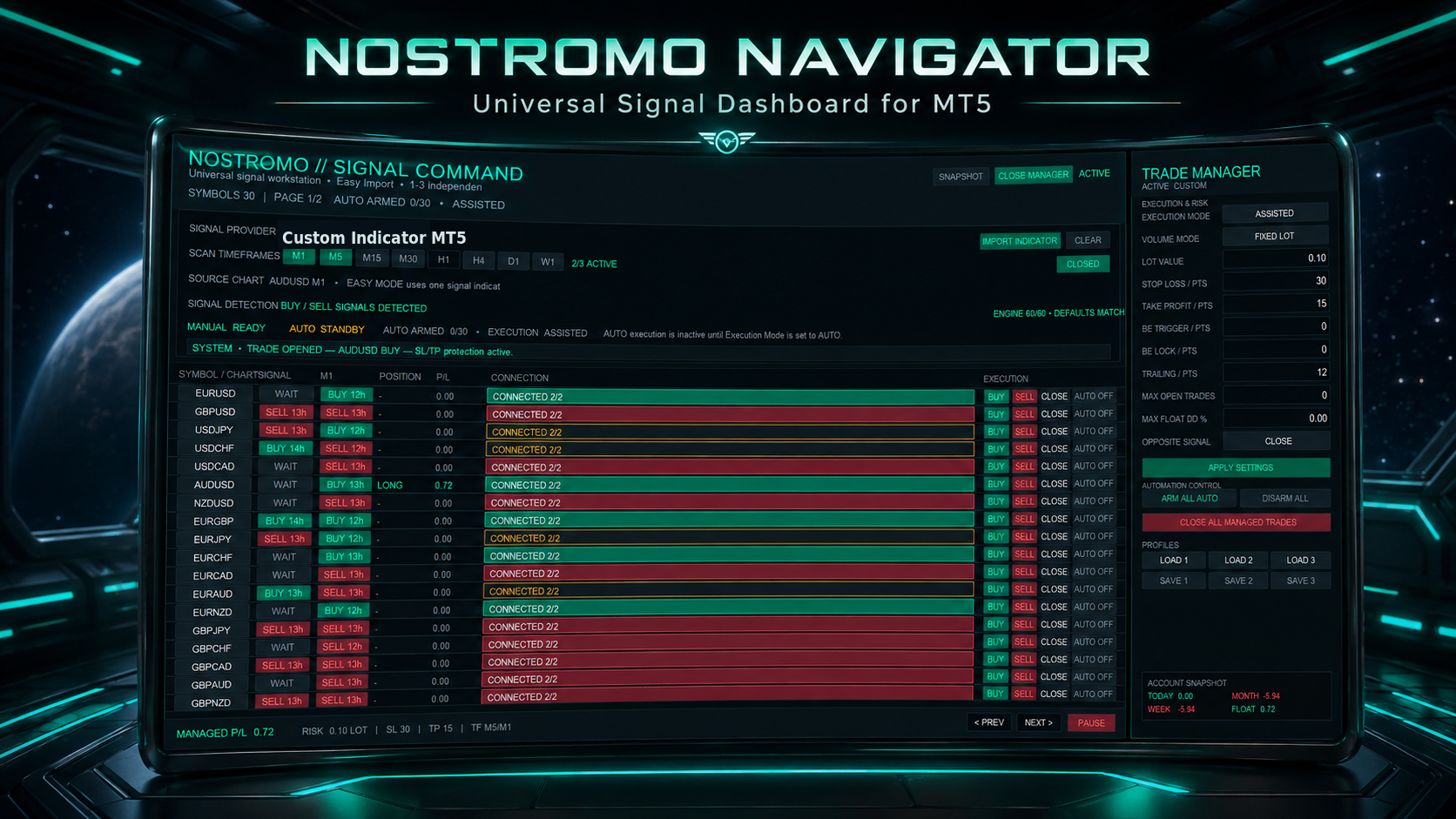
Use your own compatible MT5 signal indicator inside one dedicated command workspace that scans multiple symbols and centralizes execution and trade management from a single source chart.

01 // SYSTEM IDENTITY

Your indicator. One command workspace.

NOSTROMO NAVIGATOR

Use your own compatible MT5 signal indicator inside one dedicated command workspace that scans multiple symbols and centralizes execution and trade management from a single source chart.

02 // THE OPERATING PROBLEM

Signals become harder to manage when the workspace fragments.

Good traders often already have signal logic they trust, but the operating workflow becomes fragmented when that logic has to be monitored and managed across multiple symbols, timeframes and separate charts. NAVIGATOR is designed to centralize the operational layer without pretending to replace the quality of the user's signal provider itself.

03 // THE NOSTROMO APPROACH

Bring your own indicator into one controlled MT5 command environment.

Configure one compatible MT5 signal indicator on the source chart. NAVIGATOR reads the provider selected by the user, builds the multi-symbol workspace and gives the trader one place to monitor status, execute and manage NAVIGATOR-controlled positions.

04 // CORE CAPABILITIES

Built around a defined operating workflow.

No generic feature wall. Every module below corresponds to the current product scope and is updated from the product data record.

01USE YOUR OWN INDICATOR

Import and configure your own compatible MT5 signal indicator on the source chart.

02ONE SOURCE CHART

Run the workspace from one source chart instead of opening a separate execution chart for every symbol.

03MULTI-SYMBOL WORKSPACE

Operate a 30-symbol workspace without opening dozens of charts.

041–3 INDEPENDENT TIMEFRAMES

Scan selected timeframes independently, from M1 through W1.

05MANUAL / ASSISTED / AUTO

Choose the level of automation that fits the workflow, with per-symbol arming for AUTO.

06SHARED TRADE ENGINE

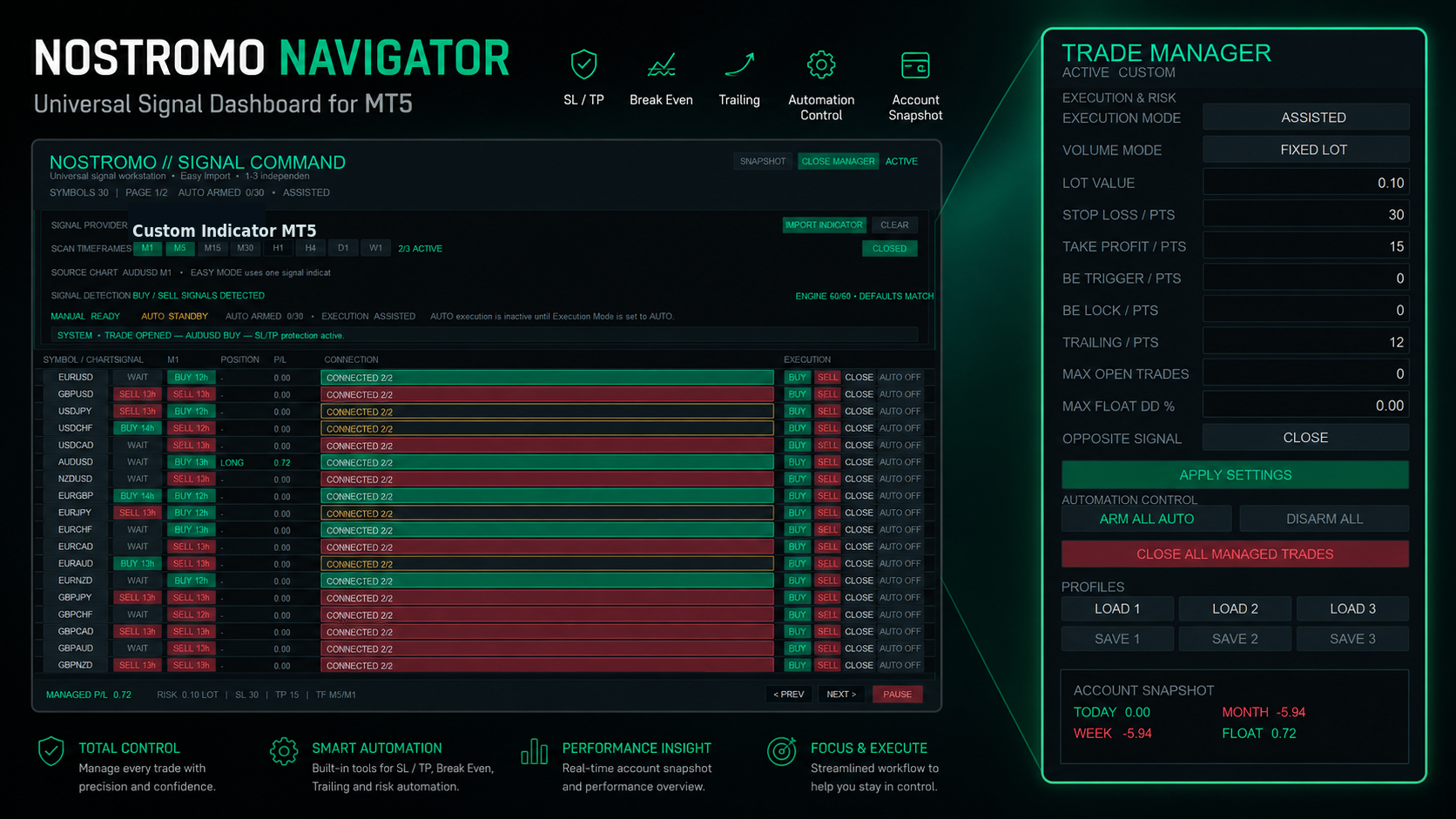
Manual and automatic entries use the same volume, SL, TP, Break Even, trailing and protection settings.

05 // WORKFLOW

From system input to controlled action.

The same master structure is used across NOSTROMO products, while the workflow itself remains product-specific.

01

IMPORT

Read the signal provider attached to the source chart.

02

SCAN

Clone the configured provider across selected symbols and 1–3 timeframes.

03

EXECUTE

Operate manually, assisted or automatically on armed symbols.

04

MANAGE

Apply broker-side SL/TP plus optional Break Even, trailing and exposure safeguards.

SYSTEM WORKFLOW // VISUAL MAP
NOSTROMO NAVIGATOR workflow visual
06 // PLATFORM + SYSTEM VISUALS

Show the system. Not stock photography.

Commercial visuals and real platform captures are used to explain the product without turning the site into a generic software storefront.

07 // WHO IT IS FOR

Designed for a specific operating mindset.

NOSTROMO products are positioned around workflow, control and disciplined use rather than promises of automatic profitability.

  • 01Traders who already use a compatible MT5 signal indicator and want a centralized multi-symbol workflow.
  • 02Users who prefer to validate signals manually before progressively enabling automation.
  • 03MT5 users who value visible readiness states, broker-side protection and explicit execution controls.
DOC
08 // DOCUMENTATION STANDARD

Quick Start + Complete User Guide

The documentation explains provider import, signal scanning, workspace controls, Manual / Assisted / Auto modes, SL/TP, Break Even, trailing, automation safeguards and first-run validation.

16 PAGES // SETUP // EXECUTION // RISK // TROUBLESHOOTING
09 // COMPATIBILITY + TRANSPARENCY

Clear scope. No invented promises.

Premium presentation does not require vague or exaggerated claims.

COMPATIBILITY

NAVIGATOR is universal in workflow, not literally compatible with every MT5 indicator. Its strongest use case is letting the trader bring a compatible signal indicator of their own, provided it exposes clear BUY/SELL information through readable buffers and can be recreated correctly across symbols and timeframes.

TRANSPARENCY

NAVIGATOR does not create a trading edge by itself. It reads and manages signals from the provider you choose. The quality, logic and compatibility of the user-selected indicator must be validated before automatic execution is enabled.

10 // PRODUCT FAQ

Operational questions. Direct answers.

The FAQ is generated from the same product record, so future systems can be added without rebuilding the page structure.

01Does NAVIGATOR generate its own trading signals?

No. NAVIGATOR reads and manages signals from the compatible MT5 signal indicator selected by the user.

02Can I use my own indicator?

Yes — that is one of NAVIGATOR's main strengths, as long as the MT5 signal indicator is compatible with NAVIGATOR's signal-reading workflow.

03Can it work from one chart?

Yes. The source chart supplies the configured provider while NAVIGATOR handles the multi-symbol workspace internally.

04How many timeframes can be scanned?

One, two or three independent timeframes can be selected.

05Can I trade manually?

Yes. Manual controls are available, and Assisted mode is recommended during initial validation.

06Where will NAVIGATOR be sold?

Commercial distribution is exclusively through the official MQL5 Market listing.

11 // OFFICIAL DISTRIBUTION

AVAILABLE EXCLUSIVELY THROUGH MQL5 MARKET.

nostromoalgo.com presents the system, documentation and official product information. Product licensing and payment are handled only through the official MQL5 Market listing.

THE PRODUCT BUTTON WILL ACTIVATE WHEN ITS OFFICIAL MQL5 LISTING URL IS ADDED.
MQL5 LISTING — COMING SOON